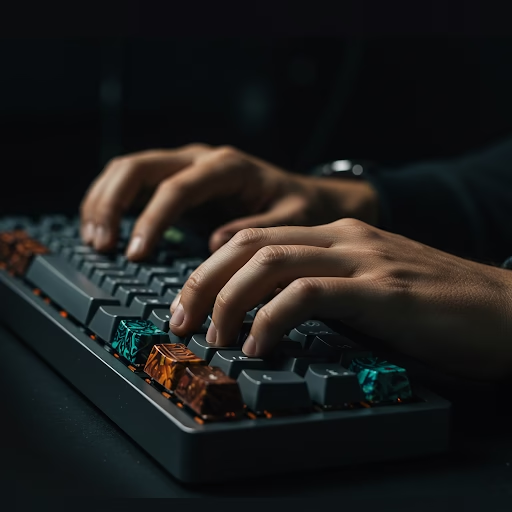
If you’ve ever wished your keyboard worked exactly the way your hands wanted it to, you’re not alone. Mechanical keyboard enthusiasts and ergonomic-focused users are increasingly turning to custom firmware to fine-tune their typing experience. Whether you’re adapting to an unconventional layout, reducing strain, or maximizing efficiency, custom keyboard firmware lets you take control.
Why Custom Firmware?
Standard keyboard firmware is built for the masses, but what if your needs are unique? With open-source firmware like QMK and VIA, you can:
- Remap keys effortlessly – Perfect for split keyboards, ortholinear layouts, or even one-handed setups.
- Customize macros and layers – Reduce repetitive movements and improve efficiency.
- Fine-tune debounce settings – Essential for minimizing accidental key presses.
- Enable advanced features – Like tap-dance keys, rotary encoders, and per-key lighting.
Getting Started with QMK Firmware
QMK (Quantum Mechanical Keyboard) is the go-to firmware for custom mechanical keyboards. Here’s how to dive in:
- Set Up Your Environment
- Install QMK Toolbox (Windows/macOS) or build it from source on Linux.
- Clone the QMK Firmware repository from GitHub.
- Use the QMK Configurator for an easy visual layout editor.
- Modify Your Keymap
- Adjust layers for shortcuts, gaming modes, or ergonomic adjustments.
- Set up custom macros to automate frequent key combinations.
- Utilize Mod-Tap keys, which act as a modifier when held but a normal key when tapped.
- Compile and Flash the Firmware
- Run
qmk compileto generate your firmware file. - Use
qmk flashto upload it to your keyboard. - Test and tweak as needed!
- Run
Enhancing Ergonomics with Custom Firmware
If you use a split keyboard like the ErgoDox, Corne, or Lily58, custom firmware can help reduce finger travel and wrist strain. Consider:
- Thumb Cluster Optimization – Map common keys (Enter, Backspace, Space) to your thumbs.
- Layer Switching – Use tap layers or home-row mods for a more fluid typing experience.
- One-Handed Typing – Enable mirrored layouts for one-handed use in case of injury or accessibility needs.
Also Read: Retro-Computing Restoration
The Future of Custom Keyboard Firmware
The mechanical keyboard community continues to push boundaries, developing new ergonomic layouts and smarter firmware features. Whether you’re a coder, writer, or gamer, custom firmware offers unparalleled flexibility to match your unique typing style.
Ready to transform your keyboard? Explore QMK and VIA to start customizing today!